Purview Justification Tracker
A PowerShell tool that surfaces Microsoft Purview sensitivity-label downgrades, scores the quality of user-provided justifications, and outputs a self-contained HTML dashboard.
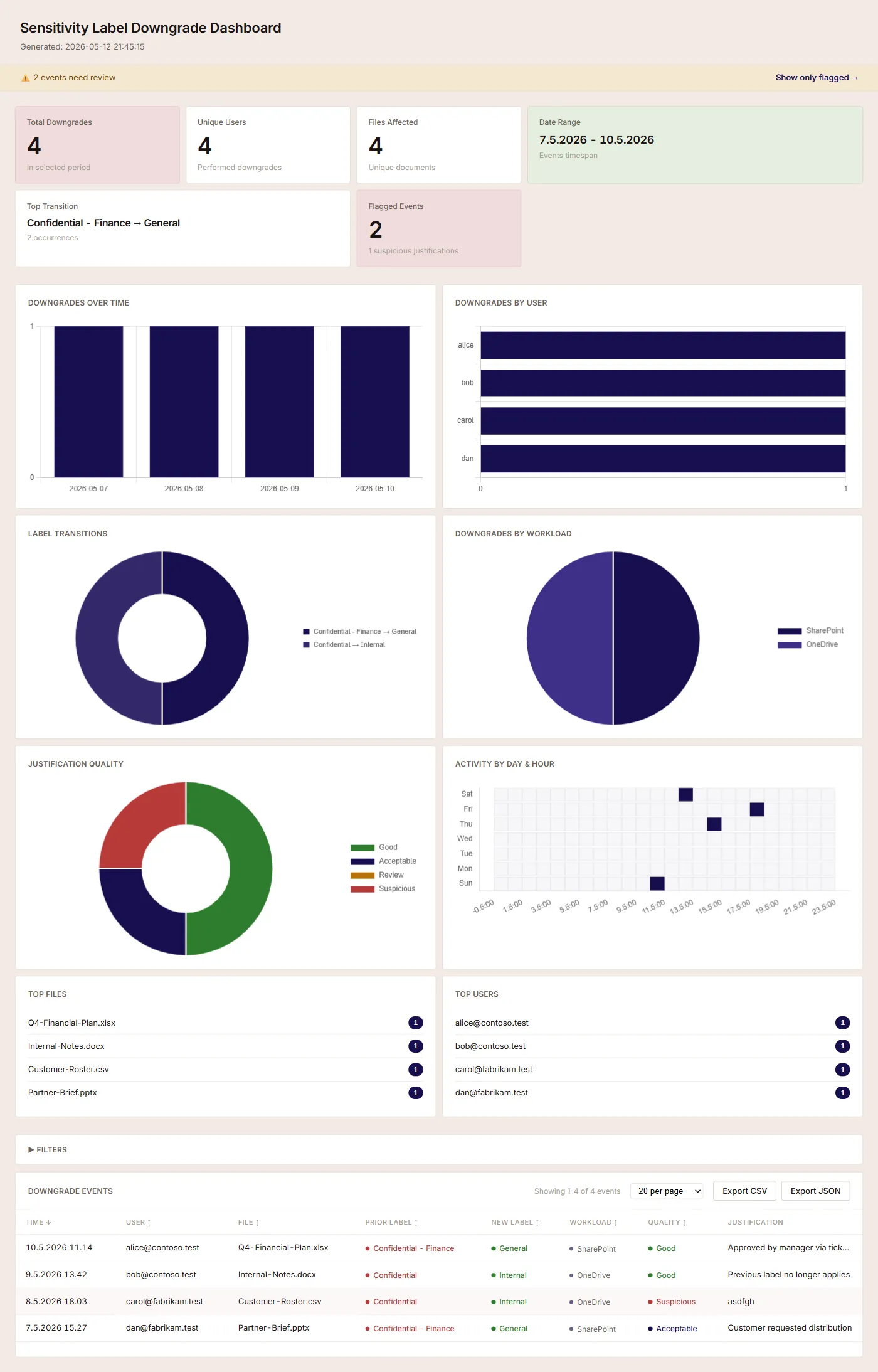
-GenerateDashboard.Why this exists
Microsoft Purview lets users downgrade sensitivity labels on documents and emails when business need arises, and captures a free-text justification each time. All of that lives in the audit log — but Purview’s built-in Activity Explorer makes downgrade events hard to find at scale, and it offers no view into whether the justifications are meaningful or just generic clicks to dismiss the dialog.
Most security teams want to answer two questions: are people downgrading labels? and can we trust the reasons they’re giving? This tool answers both, from data the tenant already has.
What it does
- Queries the Microsoft Graph audit log API and filters server-side to label-downgrade events (
LabelEventType = 2) - Resolves label GUIDs to friendly names via the Information Protection policy API
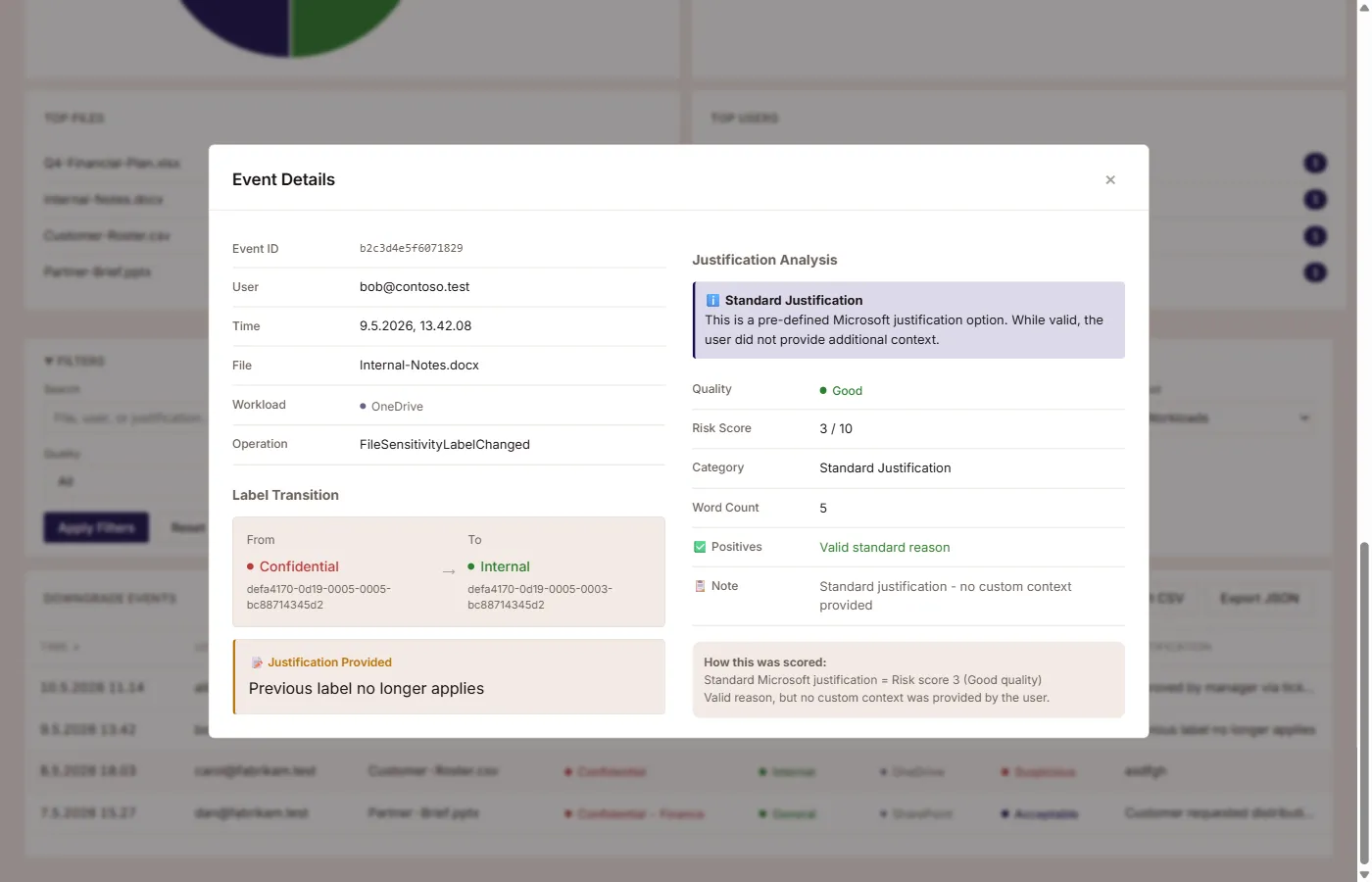
- Runs rule-based pattern analysis on the justification text — word count, generic phrases, keyboard-mash detection, ticket references, named approvers
- Categorises each justification as Good / Acceptable / Review / Suspicious with a 1–10 risk score
- Optionally adds Azure AI Language sentiment when an endpoint is supplied
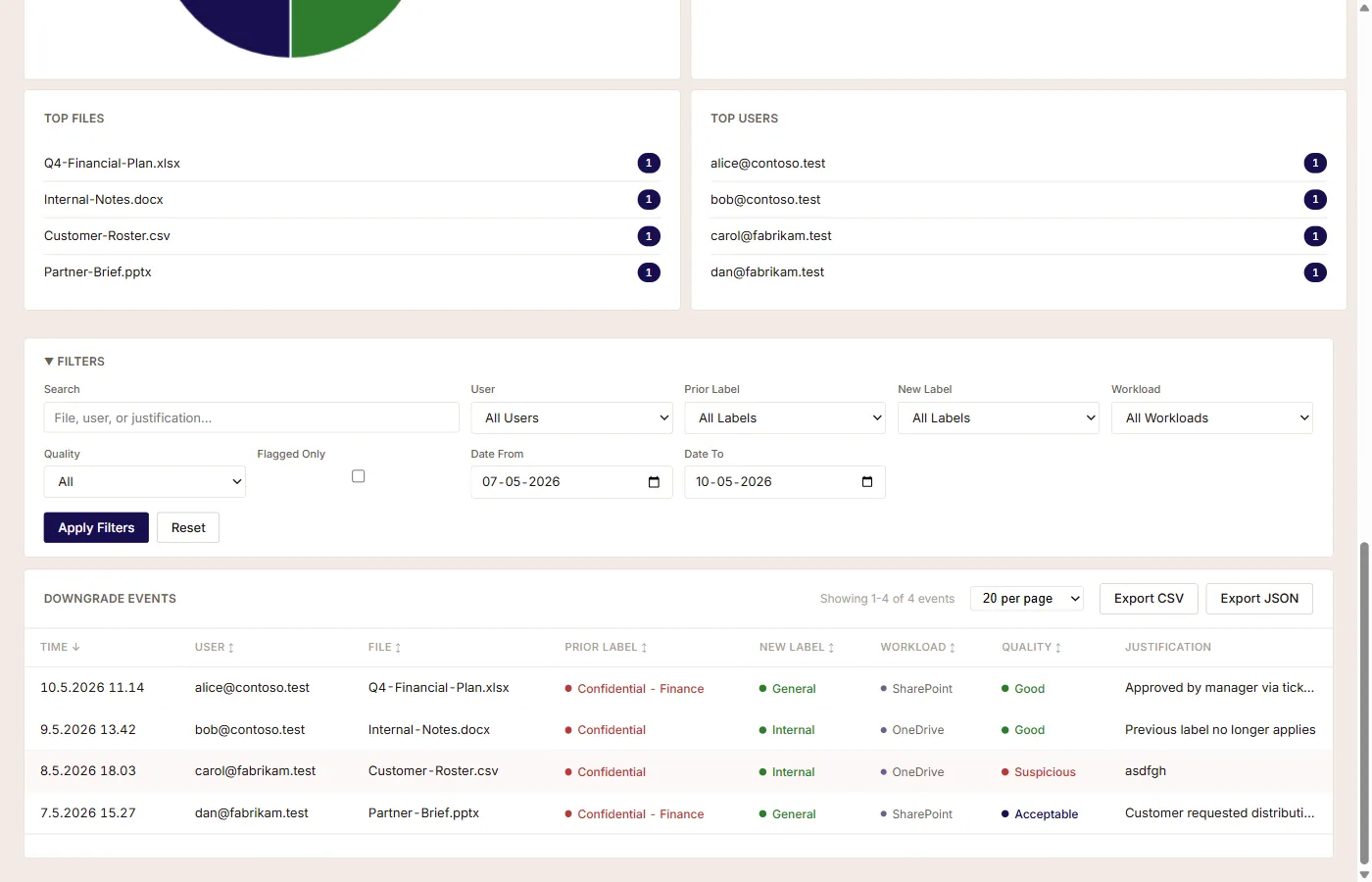
- Outputs a single-file interactive HTML dashboard — KPI cards, time-series and breakdown charts, calendar heatmap, full-text search, drill-through filters, per-event modal
- Exports the underlying data as JSON or CSV with a metadata header
- Includes a
-StrictExitCodemode for scheduled monitoring — exits non-zero when flagged or suspicious justifications are found, so scheduler-level alerts work without extra plumbing
Quickstart
Install-Module Microsoft.Graph.Authentication, Microsoft.Graph.Beta.Security -Scope CurrentUser
git clone https://github.com/PeterTrier/PurviewJustificationTracker.git
cd PurviewJustificationTracker
.\Get-SensitivityLabelDowngrades.ps1 -AnalyzeJustifications -GenerateDashboard
The dashboard opens automatically in the default browser when generation completes.
What it doesn’t do
It doesn’t second-guess your DLP policies, modify any labels, or call out to an LLM. The scoring is deterministic rule-based heuristics, not a model — the same input always produces the same score, and the rules are inspectable. The dashboard is fully client-side; no telemetry leaves the machine.
Status
Beta. The audit-query layer is stable, the dashboard is current, and there are no known correctness bugs. The justification scoring rules are conservative on purpose — they flag false positives sooner than they miss real issues. PRs and bug reports welcome.
Stack
PowerShell 5.1+ / 7+, Microsoft Graph SDK (Microsoft.Graph.Authentication + Microsoft.Graph.Beta.Security), optional Azure AI Language. MIT licensed.
Requires Microsoft 365 E5 or equivalent (the audit-log query API is gated behind it), plus AuditLogsQuery.Read.All and InformationProtectionPolicy.Read.All Graph permissions — delegated or application.